AI Video Generator App: The Complete 2026 Guide
An AI video generator app turns a written prompt or a photo into a finished clip in under a minute. Here is what that means in practice, which models are worth using, and how to pick the right one without paying for features you will never touch.
Written by Vincent Park
Published
An AI video generator app turns a text prompt or a single photo into a finished video clip in under a minute, using AI models trained to predict motion, lighting and sound frame by frame. You do not film anything, edit timelines, or own a camera — you describe the shot, pick a model, and the app renders it. This guide covers how these apps actually work, what "free" really means, how to choose between the models available in 2026, and how to export a clip that looks right on TikTok, Instagram Reels and YouTube Shorts.
In one sentence
An AI video generator app is a mobile or web tool that creates video from a text description or an image using a generative video model, with no filming, editing timeline or camera required.
What is an AI video generator app?
An AI video generator app is software — usually a phone app plus a web version — that sits on top of one or more generative video models and gives you a simple interface for prompting them: a text box, an aspect-ratio picker, an optional photo upload, and a generate button. The app itself does not invent the video; the underlying model does, by predicting a sequence of frames that match your description, the same way a language model predicts the next word in a sentence. What the app adds is model choice, credits or a free tier, export presets for social platforms, and a queue that runs the job on remote servers so your phone never has to do the rendering.
VIBE is an AI video generator app that lets you create videos from text prompts or images using AI models like Kling, Sora, Veo, Seedance, and WAN, on iOS, Android and the web, with a free tier that needs no account to try. That combination — several serious models behind one prompt box, without a signup wall — is the bar the rest of this guide uses to judge what a good AI video generator app should offer.
Text-to-video vs image-to-video: what's the difference?
Text-to-video starts from nothing but a written description — "a skateboarder lands a kickflip in an empty car park at dusk, slow-motion tracking shot, orange streetlights" — and the model invents every frame, including the subject, the environment and the camera move. It is the more flexible mode, but also the least predictable: the model has to guess what the skateboarder, the car park and the lighting look like, so results vary between attempts even with the same prompt.
Image-to-video starts from a photo you supply — a product shot, a selfie, a pet photo — and the model animates it, adding motion while keeping the subject's actual appearance. This is the mode to reach for when the subject has to look like a specific real thing: your product, your dog, your face. Some models also accept a first frame and a last frame and generate the motion between them, which is useful for a very controlled transition.
- Pick a starting point: a written idea, or a photo you want to bring to life.
- Choose a model based on what the shot needs — realism, stylised motion, native audio, or a longer take.
- Set the aspect ratio before you generate: 9:16 for TikTok, Reels and Shorts, 16:9 for YouTube, 1:1 for feed posts.
- Write the prompt as subject, action, camera move and light — the same order a cinematographer would think in.
- Generate, then either export straight away or regenerate with a tweaked prompt if the motion or framing is off.
- Export at the platform's native resolution and post — no separate editing app required for a single clip.
Is there a truly free AI video generator app?
Yes, but "free" means different things depending on the app. Some free tiers are really trials that expire after a few days; others are genuinely free forever but cap you to one low-resolution model, or stamp a watermark on every export. The honest questions to ask before you trust a "free AI video generator" claim: does the free tier require a card on file, does it force a watermark, does it cap resolution below 720p, and does it require an account before you see a single frame?
In VIBE, the free tier runs on models that are genuinely free — not a time-limited trial — including Seedance Pro Fast, LTX Video, Luma Dream Machine, Wan 2.6 and PixVerse, and you can generate your first clip before creating an account. Higher-end models with longer takes, native audio or higher resolution — Veo 3.1 Fast, Kling 3 Pro, Sora 2 Pro, Wan 3.0 — sit behind premium credits, which is a reasonable trade: those models cost real money to run per generation, and an app that offered them free without limit would not stay online.
- No account required to generate your first clip
- No forced watermark on free exports
- At least one free model at 720p or higher
- Clear labelling of which models are free vs premium before you spend a credit
- A free tier that stays free, not a seven-day trial disguised as one
How do I choose the right AI video generator app?
Start with what the clip is for. A viral hook for TikTok needs speed and a vertical-first workflow more than it needs 4K. A product ad needs a model that keeps your actual product looking like your actual product, which points to image-to-video with a reference photo rather than pure text-to-video. A voiceover-driven explainer needs a model with native audio, or a plan to add sound afterward. Decide the use case first, then pick the model — not the other way around.
Beyond the use case, four practical things separate a good AI video generator app from a frustrating one: how many models it actually gives you access to in one place, whether you can start without signing up, whether exports are watermark-free, and whether it runs equally well as a phone app and a web app — most short-form video gets made and posted from a phone, so a generator that only works well on desktop adds friction exactly where you do not want it.
Which AI video models should you use in 2026?
As of September 2026, the models worth knowing fall into a few clear roles. [Veo 3.1 Fast](/veo-3-video-generator), from Google DeepMind, generates native audio — dialogue, ambience and sound effects — in the same pass as the video, which makes it the fastest way to get a clip with sound without a separate audio step. [Kling 3 Pro](/kling-3-video-generator), from Kuaishou, is built for longer, more cinematic takes with strong motion coherence, including image-to-video for keeping a real subject consistent. [Sora 2](https://openai.com/index/sora-2/), from OpenAI, is tuned for physically plausible motion and camera work. Seedance Pro Fast, from ByteDance's Seed team, and Wan 2.6, from Alibaba, are the free-tier workhorses: fast, 720p, and good enough for most social clips. VIBE's WAN 3.0 launch added longer takes with audio and multi-image reference for consistent characters across a series of clips.
| Model | Resolution | Max length | Native audio | Image-to-video | In VIBE |
|---|---|---|---|---|---|
| Veo 3.1 Fast | 1080p | 8 s | Yes | No | Premium |
| Kling 3 Pro | 1080p | 15 s | Yes | Yes | Premium |
| Sora 2 Pro | 1080p | 12 s | No | No | Premium |
| Seedance Pro Fast | 720p | 8 s | No | Yes | Free |
| Wan 2.6 | 720p | 8 s | No | Yes | Free |
None of these models is universally "best" — Veo 3.1 Fast wins when the clip needs sound baked in, Kling 3 Pro wins on longer cinematic motion, Sora 2 Pro wins on physical plausibility, and Seedance Pro Fast or Wan 2.6 win when the job is a quick, free, vertical clip for a story or a feed post. A good AI video generator app gives you all of them in one prompt box instead of forcing you to learn five separate tools.
 Veo 3.1 Fast
“A barista steams milk behind a chrome espresso machine in a sunlit corner café, close-up tracking shot, gentle hiss of steam and quiet café chatter, warm morning light through the window.”
 Kling 3 Pro
“A lone hiker crests a ridge at sunrise, wide cinematic drone shot pulling back to reveal a valley of clouds below, slow deliberate camera move, golden rim light.”
Best export settings for TikTok, Reels and YouTube Shorts?
Set the ratio before you generate, not after — cropping a finished clip loses the framing the model chose on purpose. Vertical 9:16 is the native format for TikTok, Instagram Reels and YouTube Shorts, and it is the safest default for any clip meant to be watched on a phone held upright. Horizontal 16:9 still matters for longer YouTube uploads and for ads that run in landscape placements. Square 1:1 is a fallback for feed posts where you are not sure whether the viewer's app will crop vertical video.
- 9:16 vertical — TikTok, Reels, Shorts, Stories
- 16:9 horizontal — longer YouTube videos, landscape ads, presentations
- 1:1 square — feed posts where cropping behaviour is unpredictable
- Keep on-screen text and faces inside the middle 80% of the frame — platform UI overlays the edges
Can you make marketing and explainer videos with an AI video generator app?
Yes, and it is one of the fastest-growing uses of these apps for small businesses. A product ad usually works best as image-to-video: upload a real photo of the product so the shape, label and colour stay accurate, then prompt for the motion around it — a slow orbit, a hand picking it up, a reveal. An explainer video is closer to text-to-video: break the script into scenes, generate one clip per scene with a consistent visual style, and add a voiceover afterward in a separate audio pass unless you are using a model with native audio like Veo 3.1 Fast.
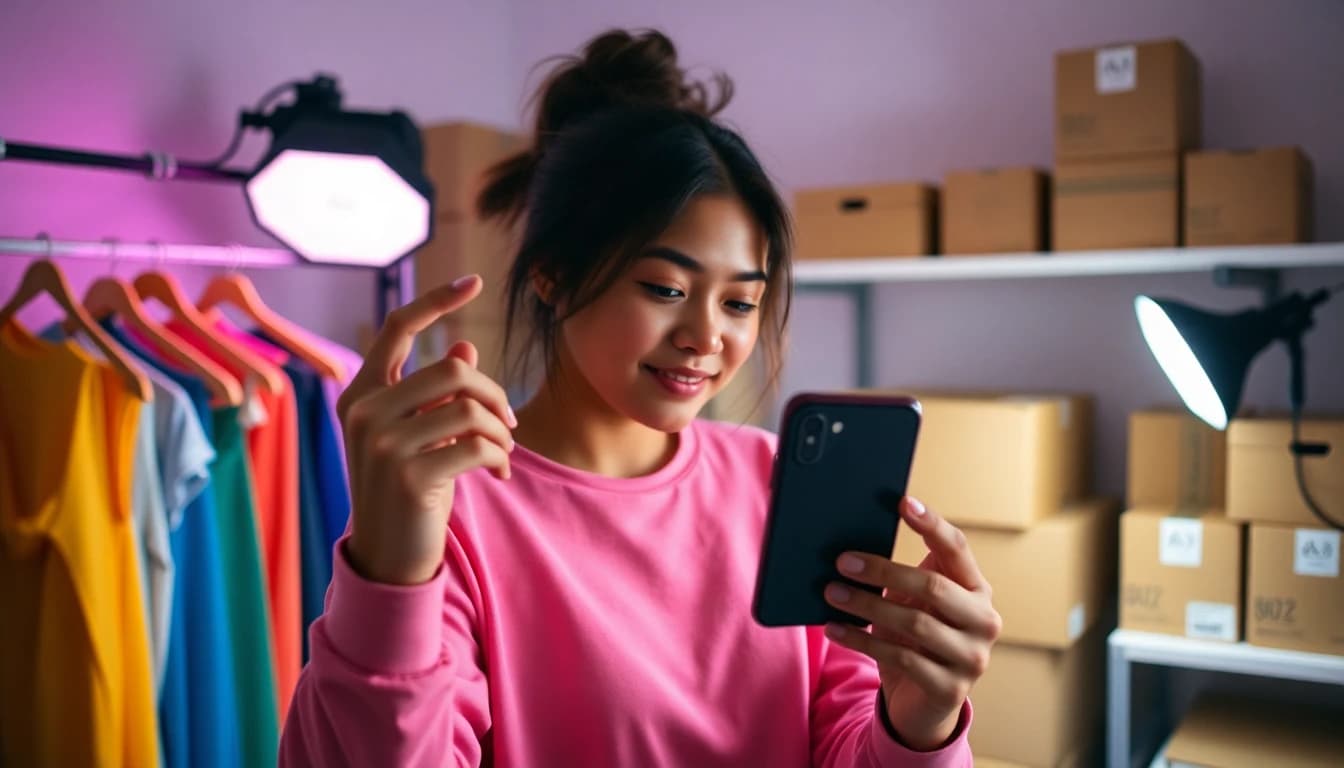
This is also the gap small businesses usually have: a real product and no film crew. Instead of hiring for a single product shoot, a founder can photograph the product once, then generate a dozen clip variations — different backgrounds, camera moves and pacing — for the cost of premium credits rather than a production day. It will not replace brand photography or a hero campaign film, but it is a realistic way to keep a feed posting consistently on a small-business budget.
Common mistakes to avoid with an AI video generator app
The single biggest mistake is writing a prompt like a caption instead of a shot description — "a cool video of a car" gives the model almost nothing to work with, while "a red sports car drifting around a wet corner at night, low tracking shot, neon reflections on the asphalt" gives it a subject, an action, a camera position and a light source. The second most common mistake is picking the wrong mode: trying to text-to-video your own product instead of uploading a photo of it, which almost always produces something that looks close but wrong.
- Prompting like a caption instead of describing subject, action, camera and light
- Generating in the wrong aspect ratio and cropping afterward
- Text-to-video for a subject you already have a real photo of
- Ignoring model strengths — using a silent model when the brief needs audio, or a fast free model when the brief needs a long cinematic take
- Stacking too many ideas into one prompt instead of one clear action per generation
 Seedance Pro Fast
“A golden retriever puppy chases a rolling tennis ball across a sunlit backyard lawn, low handheld tracking shot, shallow depth of field, warm afternoon light.”
One more habit worth building: generate, look at the result critically, and regenerate with a sharpened prompt rather than accepting the first output. Because an AI video generator app renders in seconds to a couple of minutes per attempt, three focused attempts with a tightened prompt almost always beat the first try — and if you started with a free model like Wan 2.6 or Seedance Pro Fast, those extra attempts cost you nothing.
Frequently asked questions
Is there a truly free AI video generator app?
Yes. Look for a free tier that does not require a card or account to generate a first clip, does not force a watermark, and stays free rather than expiring after a trial period. VIBE's free tier includes models like Seedance Pro Fast, Wan 2.6 and PixVerse with no login required.
What's the difference between text-to-video and image-to-video?
Text-to-video generates every frame from a written description alone. Image-to-video starts from a photo you upload and animates it, which keeps the actual subject — your product, pet or face — looking correct instead of reinvented by the model.
Which AI video model is best for realism?
Kling 3 Pro and Sora 2 Pro are generally the strongest for physically plausible motion and camera work as of September 2026. Veo 3.1 Fast is the best choice when the clip also needs native audio in the same pass.
Do I need to sign up to use an AI video generator app?
Not necessarily. VIBE lets you generate your first clip on its free tier before creating an account, which is worth checking for in any app that advertises itself as free.
Can an AI video generator app create marketing or explainer videos?
Yes. Product ads work best as image-to-video from a real product photo; explainer videos work well as text-to-video generated scene by scene from a script, with voiceover added afterward unless the model supports native audio.
What resolution do AI video generator apps export at?
It depends on the model. Free-tier models like Seedance Pro Fast and Wan 2.6 typically export at 720p; premium models like Veo 3.1 Fast, Kling 3 Pro and Sora 2 Pro export at 1080p.
Can AI video generator apps add sound automatically?
Some can. Veo 3.1 Fast and Kling 3 Pro generate native audio — dialogue, ambience and sound effects — in the same pass as the video. Models without native audio, like Seedance Pro Fast, need sound added separately afterward.
Start Creating AI Videos Today
Download VIBE for free on iOS and Android. No login required. Access 10+ AI video models and generate videos from text prompts or images.


Keep reading
All articles AI Video Generator
AI Video Generator for YouTube: Shorts, B-Roll and Prompts That Work
How to use AI video on YouTube in 2026: vertical Shorts, widescreen B-roll, the right clip lengths, honest disclosure and four prompts you can paste into VIBE today.
Vincent Park9 min read AI Video Generator
Real AI Video Generator: How to Make AI Video That Looks Real
No tool makes realistic video by magic. Here are the models, prompt cues and common mistakes that decide whether an AI clip looks real, plus prompts to copy in VIBE.
Vincent Park8 min read