AI Video Generator for TikTok: Formats, Lengths and Prompts That Work
What a TikTok-ready AI clip looks like in 2026: vertical framing, the right length, sound that fits, honest labelling and five prompts you can paste into VIBE today.
Written by Vincent Park
Published
The best AI video generator for TikTok is one that makes vertical 9:16 clips, gives you sound that fits the picture and renders in under a minute — and you can do all three in VIBE for free. This guide covers the exact format TikTok expects, how long your AI clips should be, which VIBE model to pick for each job, and five prompts you can paste straight into the app.
In one sentence
An AI video generator for TikTok turns a text prompt or a photo into a short vertical 9:16 clip that is ready to post — in VIBE, Seedance Pro Fast handles quick free drafts while Veo 3.1 Fast and Kling 3 Pro add native sound.
What makes an AI video generator for TikTok different?
TikTok is a vertical, sound-on feed that people scroll with a thumb, so a clip made for it has to work in the first second, fill a phone screen and still make sense with the sound on. A general AI video generator can give you a wide cinematic 16:9 shot that looks great on a laptop and awkward in the For You feed. A TikTok-focused workflow starts from the destination: vertical framing, a strong opening beat, a clip length that suits a loop and audio that belongs to the scene.
As of October 2026, VIBE offers ten AI models on iOS, Android and the web, and five of them are free to start with no login. That matters for TikTok because the platform rewards volume and testing: you can generate several hooks for the same idea, keep the best one and discard the rest without paying per attempt.
What video format does TikTok expect?
TikTok is built around vertical video: a 9:16 aspect ratio at 1080 × 1920 pixels fills a modern phone screen edge to edge. Horizontal footage still uploads, but it plays as a small strip with black bars, which makes it easier to scroll past. TikTok's own Help Center is the authority for current upload rules, and its limits change, so check it before you plan a long upload.
- Aspect ratio: 9:16 vertical. Say "vertical 9:16" in your prompt and pick a vertical ratio in the model settings where the model offers it.
- Framing: keep the subject in the centre and leave the bottom fifth of the frame calm, because the caption, username and buttons sit over it.
- Opening: put the movement or the reveal in the first second — no slow fade-ins.
- Sound: TikTok is sound-on by default, so plan the audio before you generate, not after.
How long should an AI video for TikTok be?
Short clips that end where they begin work best, because a seamless loop makes a viewer watch twice. AI models generate in short single shots anyway: in VIBE, Veo 3.1 Fast makes clips up to 8 seconds and Kling 3 Pro up to 15 seconds. That is enough for a complete TikTok beat — a hook, a payoff and a loop point — without any editing.
For anything longer, plan it as a sequence. Generate three or four 5-to-8-second shots with the same character and setting description, then cut them together in your editor of choice. Keep the visual description identical from shot to shot — same clothing, same location, same light — so the cuts feel like one scene. The prompt-writing guide explains how to repeat those anchors reliably.
Which VIBE model should you use for TikTok?
Pick the model by the job, not by the name. Seedance Pro Fast is free and fast, which makes it ideal for testing hooks. When the clip needs dialogue, sound effects or ambience built in, switch to a model that generates audio natively. The table below shows the three that cover most TikTok work; the Veo 3.1 Fast page and the Kling 3 page show examples.
| Model (in VIBE) | Best TikTok use | Native audio | Max clip length |
|---|---|---|---|
| Seedance Pro Fast | Free hook tests, aesthetic loops | No | Short clips |
| Veo 3.1 Fast | Single-shot ads, reaction clips, one-line dialogue | Yes | 8 seconds |
| Kling 3 Pro | Longer scenes, two people talking | Yes | 15 seconds |
A practical routine is to draft in Seedance Pro Fast, keep the one idea that earns a reaction from a friend, and then re-run that exact prompt in Veo 3.1 Fast or Kling 3 Pro when you want the final version with sound. Changing the model but not the wording lets you compare results fairly, and it keeps the free draft stage fast. If a clip needs a real person's face or voice, do not use AI at all — film it yourself and use AI for the b-roll around it.
How do you make an AI video for TikTok in VIBE?
- Open VIBE on iOS, Android or the web. No login is needed to start.
- Choose a model — Seedance Pro Fast for a free draft, Veo 3.1 Fast or Kling 3 Pro for sound.
- Paste a prompt that names the subject, the action, the camera move and "vertical 9:16".
- Generate, watch the first second, and regenerate with one change at a time if the hook is weak.
- Save the clip and post it from the TikTok app, adding captions and a trending sound if you want them.
The full flow is covered in how it works, and the guide to sound-on AI video goes deeper on writing dialogue and effects into a prompt. Free outputs carry no watermark, so the clip is ready to upload as it is.
 Seedance Pro Fast
“Vertical 9:16, close-up of a matcha latte being poured over ice in a sunlit kitchen, slow motion, green swirl blooming through the milk, soft morning light, shallow depth of field, the last frame returns to the first for a seamless loop.”
 Veo 3.1 Fast
“Vertical 9:16, a hand slides a pair of white sneakers out of a cardboard box on a bright bedroom floor, a crisp cardboard-scrape sound and a soft upbeat hum, camera pushes in slowly, warm natural light, a quick satisfied "finally!" from an off-screen voice.”
 Kling 3 Pro
“Vertical 9:16, two friends at a night market food stall, one says "you have to try this," the other laughs and answers "okay, wow," steam from the bowls, string lights overhead, handheld documentary feel, lively crowd ambience.”
How do you make AI clips feel native to TikTok?
The clips that perform look like they belong in the feed: handheld energy, real-world settings, an action in the first second and a payoff before the end. Avoid the glossy, over-smooth look by asking for imperfect real-life details — a slightly shaky phone camera, natural window light, everyday clothing. Creator-style formats such as the ones in the AI UGC guide are a good starting point because they already speak TikTok's visual language.
Batching saves the most time. Spend one session writing five prompts for five different hooks on the same topic, generate them all, and post the strongest. Then note which opening line, camera move or setting earned the best reaction and reuse that pattern in your next batch. Over a couple of weeks this builds a personal prompt library that is worth more than any single clip, and it turns AI generation from a lottery into a repeatable process.
- Open on motion or a surprising image, not on a title card.
- Write one subject and one action per prompt; extra ideas muddy the shot.
- Ask for a loopable ending when the clip is under 8 seconds.
- Add captions in TikTok's editor rather than baking text into the video, because AI models still render text unreliably.
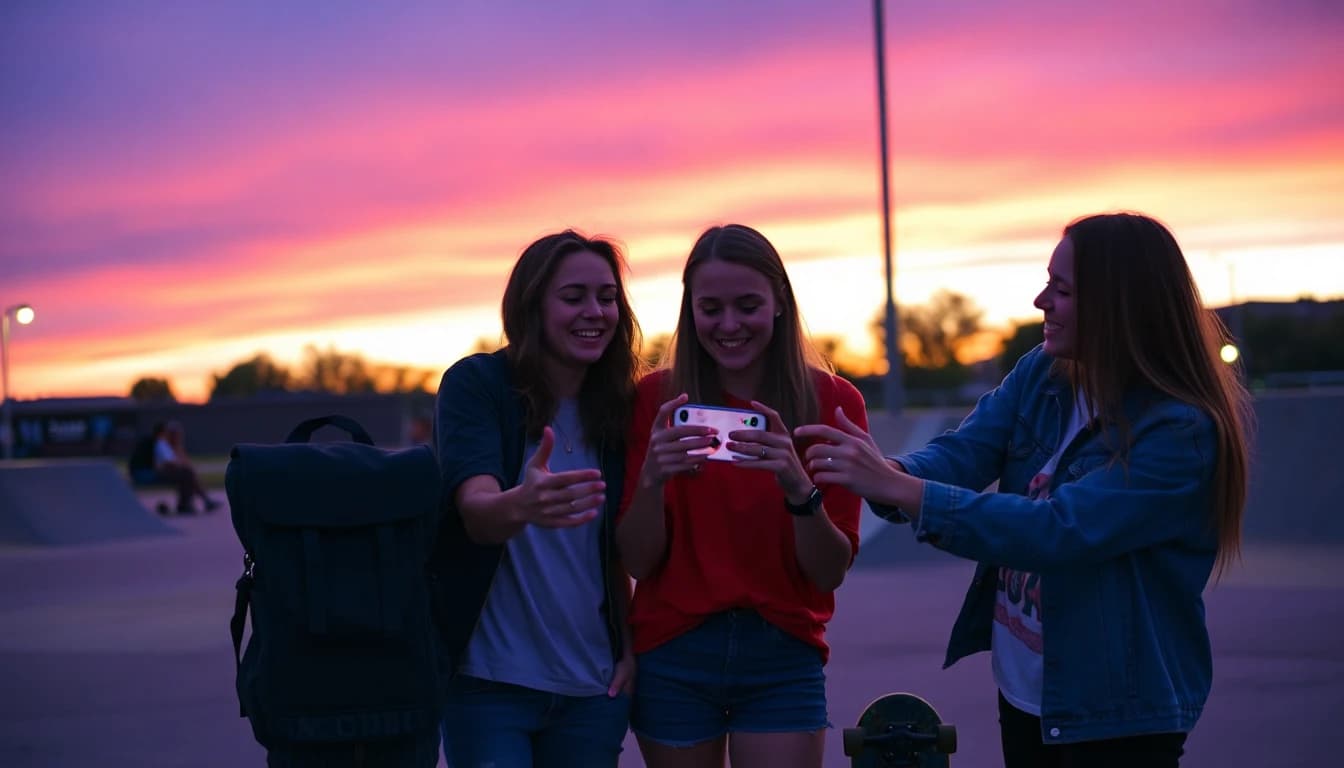 Veo 3.1 Fast
“Vertical 9:16, a young woman in a cosy kitchen looks straight into the camera and says "nobody told me this about meal prep," phone-camera framing, natural window light, quiet kitchen ambience, slight handheld movement.”
Seedance Pro Fast“Vertical 9:16, a cyclist rides along a coastal road at golden hour, camera follows from behind at a low angle, sea glittering on the left, warm film-like colour, steady cinematic motion.”
Does TikTok require you to label AI-generated videos?
Yes, for realistic AI content. TikTok has said it requires creators to label realistic AI-generated content, and it automatically labels AI content that carries Content Credentials metadata from the C2PA standard, as explained in its newsroom announcement. Turn on the AI-generated content label in TikTok's post settings whenever your clip depicts realistic people, places or events.
The simple rule is to be honest: do not present an AI clip as footage of a real event, and do not imitate a real person. Stylised, obviously fictional scenes are lower risk, but labelling them costs you nothing. Rules evolve, so read TikTok's current AI-generated content page before you publish.
Frequently asked questions
What is the best AI video generator for TikTok?
The best one makes vertical 9:16 clips, offers sound-on models and lets you test ideas cheaply. VIBE does all three: Seedance Pro Fast is free for drafts, while Veo 3.1 Fast and Kling 3 Pro add native audio.
What aspect ratio should an AI video for TikTok have?
Use 9:16 vertical, ideally 1080 × 1920 pixels. Include "vertical 9:16" in your prompt and choose a vertical ratio in the model settings if the model offers one.
How long can a VIBE clip be for TikTok?
Veo 3.1 Fast makes clips up to 8 seconds and Kling 3 Pro up to 15 seconds. For longer videos, generate several shots with the same description and cut them together.
Can I make TikTok videos with AI for free?
Yes. VIBE is free to start with no login, and its free models include Seedance Pro Fast, LTX Video, Luma Dream Machine, Wan 2.6 and PixVerse. Free outputs carry no watermark.
Do I have to label AI videos on TikTok?
TikTok requires creators to label realistic AI-generated content and auto-labels content with C2PA Content Credentials. Use the AI-generated content label in the post settings and check TikTok's current rules.
Which model adds sound to a TikTok clip automatically?
In VIBE, Veo 3.1 Fast and Kling 3 Pro generate dialogue, effects and ambience in the same render. Seedance Pro Fast renders picture only, so add a trending sound in TikTok.
- #aivideogeneratorfortiktok
- #tiktokaivideo
- #verticalvideo9:16
- #texttovideo
- #aivideogenerator
Start Creating AI Videos Today
Download VIBE for free on iOS and Android. No login required. Access 10+ AI video models and generate videos from text prompts or images.


Keep reading
All articles Trends & tutorials
AI Video Generator With Audio: The Models That Add Sound Automatically
Two models inside VIBE generate audio the instant you hit render. Here's which ones, how they compare, and how to prompt for dialogue, sound effects and ambience that actually match the picture.
Vincent Park9 min read Trends & tutorials
How to Make AI Video in 2026: A Beginner’s Step-by-Step Guide
How to make AI video comes down to six steps — idea, prompt, model, generate, refine, export — and none of them need a camera, actors, or editing software. Here is the full beginner workflow, with copy-ready prompts.
Vincent Park9 min read