Consistent Character AI Video: How to Keep the Same Face in Every Clip
A consistent character in AI video means the same face, hair and outfit from shot to shot. Here is why characters drift, and the reference-image and prompt workflow that stops it.
Written by Vincent Park
Published
Consistent character AI video means the same person or creature, with the same face, hair, build and outfit, in every clip you generate. You get it by starting every shot from the same reference image, locking the character in a short repeatable description, and choosing a model that supports reference-based generation, such as Wan 3.0 in VIBE. This guide shows the full workflow, with prompts you can paste.
In one sentence
Consistent character AI video is the practice of generating multiple clips in which one character keeps the same face, hair, body shape and clothing, by anchoring each generation to the same reference image and the same fixed text description.
What is consistent character AI video?
Every AI video model generates each clip from scratch. Unless you give it something fixed to hold on to, it invents a new face every time, so a hero who is a woman with a green jacket in clip one can become a different woman in a lighter coat in clip two. Consistent character AI video is the set of habits that remove that randomness: a fixed reference image, a fixed text description and a model that respects both.
It matters most for anything with more than one shot: a short story, a mascot that appears in every post, a product explainer with a recurring presenter, or a weekly series on TikTok or YouTube Shorts. For a single standalone clip you can skip most of this. For a series, it is the difference between a channel with a recognisable face and a feed of unrelated clips.
Why do AI characters change from clip to clip?
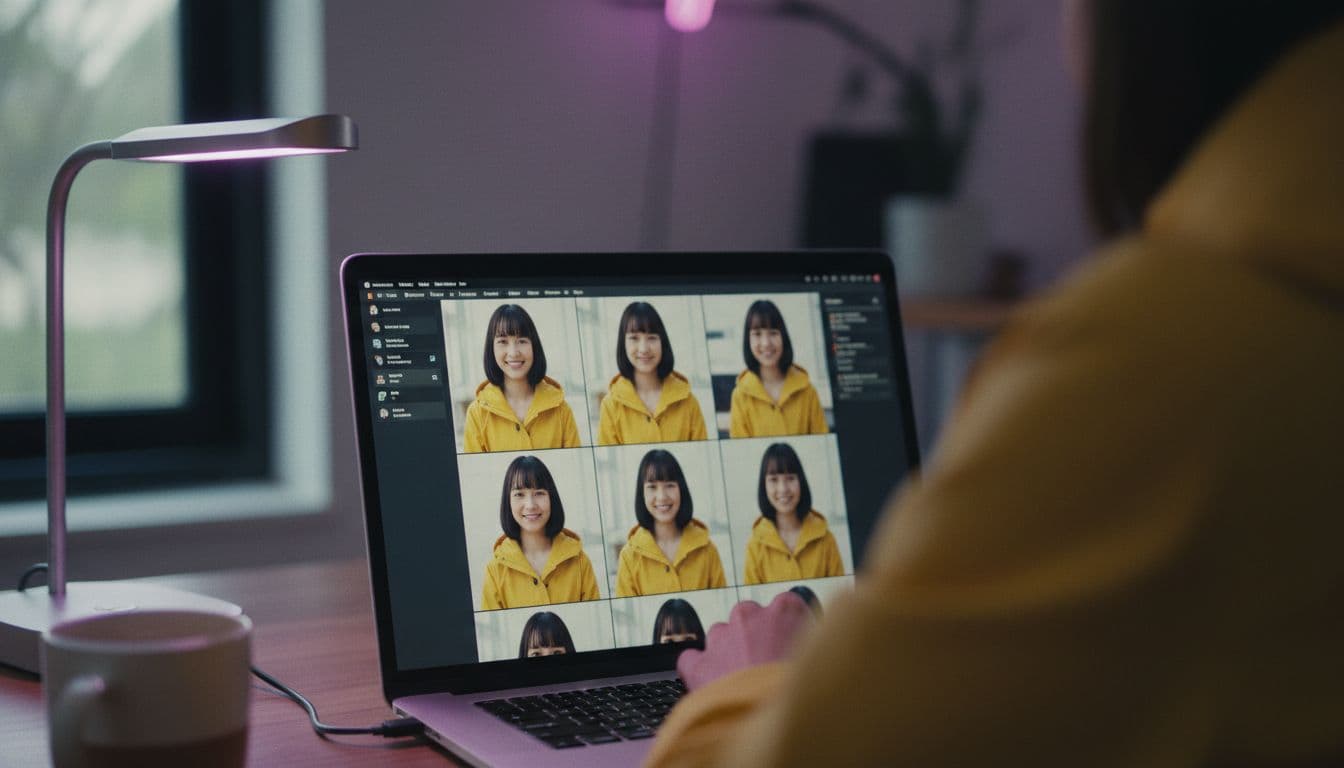
Text-to-video models turn your words into pixels by sampling, and a description like "a young woman in a green jacket" fits thousands of different faces. Each new generation picks a different one. Inside a single short clip the model can usually hold a face steady, but across clips there is nothing connecting them unless you provide the link.
- Vague descriptions. "A young man" leaves the model free to choose age, face shape, hair and skin tone every time.
- No visual anchor. A text-only prompt gives the model no image to copy, so identity is re-invented per clip.
- Changing context. New lighting, a new camera angle or a new location nudges the model to redraw clothing and facial details.
- Long clips. The longer one generation runs, the more room there is for gradual drift such as a changing hairstyle or colour shift.
- Mixed models. Two different models will never draw the same face from the same sentence.
How do you keep the same character in AI video?
The most reliable method is to stop asking the model to invent the character in every clip and instead hand it a finished picture of the character. Image-to-video does exactly that: the photo fixes the face and outfit, and the prompt only has to describe motion. Our image-to-video guide covers the basics; here is the character-specific version.
- Create one clean hero image. A front-facing, evenly lit, waist-up picture of the character on a plain background works best. Use your own photo, an illustration, or an image you generated.
- Write a character anchor. Two short sentences naming age range, hair, clothing and one distinctive detail. Keep it word-for-word identical in every prompt.
- Generate every shot from the hero image. Start each clip with the same image and change only the action, camera and setting.
- Keep each clip short. Aim for a few seconds per shot and cut between them, rather than one long take where drift can build.
- Reuse the same model. Pick one model for the series and stay with it, so the rendering style does not shift.
- Save your best frames. If a clip ends on a great frame of the character, export it and use it as the hero image for the next shot.
 Wan 2.6
“Using the reference image: the same woman with short dark hair and a green bomber jacket walks toward the camera along a rainy city street at dusk, gentle handheld tracking shot, neon reflections on wet pavement. Keep her face, hair and jacket unchanged.”
How do you write a character anchor that stays the same?
A character anchor is a short, fixed block of text that describes your character, pasted unchanged at the start of every prompt. It works because it removes the model's room to improvise. Our guide to writing AI video prompts explains the subject, action, camera and light formula; the anchor is simply the subject part, frozen.
A good anchor is specific about the things the eye notices first, and silent about anything that should change between shots. Name the hair, the clothing, the age range and one signature detail. Leave out mood, action and location, which belong to the individual shot.
 Seedance Pro Fast
“Mira, a woman in her late twenties with a short dark bob, round gold earrings and a mustard-yellow raincoat. Mira sits at a café window and slowly turns a coffee cup in both hands, soft morning light, static medium shot, shallow depth of field.”
- Use the same name for the character in every prompt; a name acts as a handle for the model.
- List clothing in the same order each time: top, outer layer, accessories.
- Prefer concrete colours ("mustard-yellow raincoat") over vague words ("bright coat").
- Change only one thing per shot, either the action or the location, never the character.
What is reference-to-video, and which model supports it?
Reference-to-video is a generation mode in which the model receives one or more reference images, and sometimes videos or audio, and keeps the identity shown in them while it creates new motion. It goes a step beyond image-to-video, because the reference is treated as a character to reuse rather than a first frame to animate. As of October 2026, Wan 3.0 is the clearest example: Alibaba describes its reference-to-video mode as keeping a character's facial features, hairstyle, body shape, clothing and accessories consistent, along with props, spaces and style. Details are in Alibaba Cloud's Wan 3.0 announcement.
Third-party platforms that host the model report that it accepts as many as 10 reference images, a 30-second maximum length and 1080p output, and that the exact limits depend on where you run it. The reference-to-video mode is the model's capability, not a promise about any one app's interface, so in VIBE the dependable route today is a single strong hero image in image-to-video, with Wan 3.0 as the model to try first. You can see every model on the VIBE models list and read about the WAN family. (Alibaba Cloud)
Which AI video model keeps characters most consistent?
No model is perfect, and results depend on your reference image and prompt as much as on the model. These are the practical roles of the VIBE models for character work, based on how each is positioned and how we use them.
| Model | Tier in VIBE | Good for character work |
|---|---|---|
| Wan 3.0 | Premium | Reference-based generation and longer shots with one recurring character |
| Kling 3 Pro | Premium | Multi-shot sequences where you want cuts between angles |
| Seedance Pro Fast | Free | Quick tests of a character anchor before spending on premium |
| Wan 2.6 | Free | Image-to-video from a hero image, a solid free starting point |
A sensible workflow is to test your anchor and hero image on a free model first. Once the character looks right, regenerate the keeper shots on a premium model. Our model comparison goes deeper on strengths, and the Kling 3 page explains its multi-shot behaviour.
How do you keep a character consistent across a whole series?
For a series, treat the character like a small production bible. Write down the anchor, the hero image file, the model and the aspect ratio, and reuse them for every episode. When you return a week later, you want to be able to repeat the exact setup rather than rely on memory.
- Keep a character sheet. One document with the hero image, the anchor text, and two or three approved extra angles.
- Lock the format. Choose 9:16 or 16:9 once and keep it, as a change of frame also changes how the model draws the face.
- Vary the world, not the hero. Move between locations and times of day while the anchor stays identical.
- Review before you publish. Put the clips side by side and check face, hair and outfit before editing them together.
- Use cuts to your advantage. A quick cut between two short shots hides small differences far better than a single long take.
 Kling 3 Pro
“Mira, a woman in her late twenties with a short dark bob, round gold earrings and a mustard-yellow raincoat, stands on a ferry deck at sunrise looking at the skyline, wind moving her coat, slow push-in from medium to close-up, calm cinematic mood.”
What breaks character consistency, and how do you fix it?
Most failures come from a handful of avoidable habits. If a character suddenly looks different, work through this list before blaming the model.
- Rewording the anchor. Even small edits change the result. Copy and paste instead of retyping.
- A cluttered reference image. Photos with several people, sunglasses or heavy shadows give the model less to hold on to. Use a clean portrait.
- Extreme angles and fast motion. Profile views, spins and quick action are where faces most often change. Start with calm, frontal shots.
- Switching models mid-series. Each model draws faces differently, so finish the series on one model.
- Asking for too much in one clip. Several actions plus a camera move plus a location change makes drift more likely. Split it into two shots.
Only use images of yourself, original characters or people who have agreed to be shown. Consistent characters are a creative tool, and the same care you would give any portrait applies here. For the full step-by-step flow inside the app, see how it works.
Frequently asked questions
How do I keep the same character in AI video?
Start every clip from the same clean reference image, paste an identical character description into every prompt, keep shots short and use one model for the whole series. Image-to-video is the most reliable route because the picture fixes the face and outfit.
What is a character anchor in an AI video prompt?
A character anchor is a short, fixed description of your character, covering name, age range, hair, clothing and one distinctive detail, pasted word-for-word at the start of every prompt so the model has less room to improvise.
What is reference-to-video in AI video generation?
Reference-to-video is a mode in which a model receives reference images, and sometimes videos or audio, and keeps the identity shown in them while generating new motion. Wan 3.0 is a current example, and Alibaba says it keeps a character's face, hair, body shape and clothing consistent.
Which VIBE model is best for consistent characters?
Wan 3.0 is the first model to try for reference-based consistency, and Kling 3 Pro is a strong choice for multi-shot sequences. Seedance Pro Fast and Wan 2.6 are free and good for testing a character before you use premium generations.
Why does my AI character look different in every video?
Each generation starts from scratch, and a vague text description fits many faces. Without a reference image and a fixed description, the model picks a new face every time. Longer clips, new lighting and extreme angles add further drift.
Can I make a consistent character for free?
Yes. VIBE is free to start with no login, and the free models Seedance Pro Fast and Wan 2.6 let you test a hero image and an anchor prompt. Upgrade to a premium model only for the final shots.
How long should clips be to keep a character consistent?
Shorter is safer. A few seconds per shot, joined with cuts, drifts less than one long take. Longer clips are possible on some models, but check the face and outfit at the end before using them.
Start Creating AI Videos Today
Download VIBE for free on iOS and Android. No login required. Access 10+ AI video models and generate videos from text prompts or images.


Keep reading
All articles Trends & tutorials
AI Video Aspect Ratio Guide: 9:16, 16:9 or 1:1 for Every Platform
Which ratio fits TikTok, Reels, Shorts and YouTube? A practical guide to choosing your aspect ratio before you generate, with safe zones and copy-ready prompts.
Vincent Park9 min read Trends & tutorials
AI Video Trends 2026: What Is Changing and How to Use It
Sound, longer takes, consistent characters, vertical formats and disclosure rules are reshaping AI video this year. Here is what each shift means and how to use it.
Vincent Park9 min read